Got an idea?
Let's build it.
AI and creative courses for ages 11-18. Make something of your own.
AI and creative courses for ages 11-18. Make something of your own.

Brand strategy and creative AI with Andrew. Find the story behind your idea.

Try an app, a website or a brand idea.
Test an idea and try another approach.
Talk about what you made and why.
Make a quiz, develop a brand or find out how AI works. We’ll help you get started and make your own decisions.
Find out how AI responds to questions. Learn to check its answers and spot mistakes.

Use AI to help write code, then test it and work out what needs changing.

Choose how your project looks and who it is for. Explain the decisions you made.

Choose a starting point based on what you’ve tried so far. We can talk it through if you’re unsure.
Foundations (ages 11-16)
For learners who are new to using AI to make things. Start with a manageable idea and work through it with guidance.
Work towards: a small project you can demonstrate and explain.
Enquire nowBuild & Develop (ages 15-18)
For learners ready to take on a more involved project. Think about who will use it and keep improving it as you learn.
Work towards: a project you can share, with an explanation of how you made it.
Enquire nowLearners aged 15-16 can join either pathway, depending on their experience. Ask us if you’d like help choosing.
With Ketan, explore what AI can do and where it needs checking. Learn to describe an idea clearly, then use AI-assisted coding to build an app or interactive project.
Enquire nowWith Andrew, explore who an idea is for and how to bring it to life. Try AI tools as you develop its look and the story you want to tell.
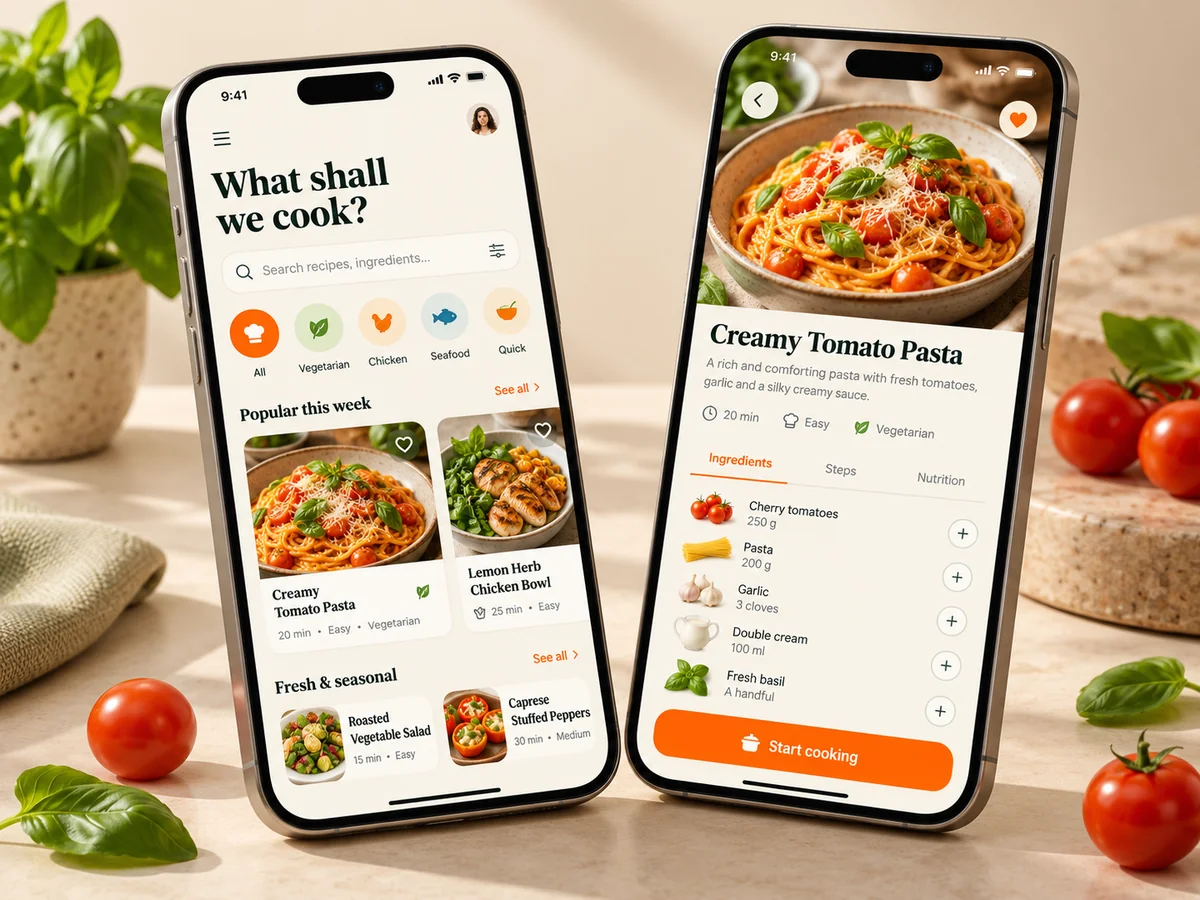
Enquire nowGames, apps and brands, shaped around your ideas. These AI-generated concepts show what you could explore, not completed student work.

Dream up a world and give players something to do. Use AI-assisted coding to try out movement, controls and challenges, then play it and make it better.
A recipe finder? A cooking companion? Start with something useful, sketch the screens and build a version you can tap through and test.
Give your idea a name, a logo and a look of its own. Explore how it comes together across packaging, posters and digital spaces, using AI to try different directions.
Let your child try Ketan’s coding adventure. Guide a delivery robot through puzzles, avoid obstacles and collect gems using code.
Play RoboTrail
Choose something you’re interested in or a problem you’d like to work on.

Decide what your first version needs to do. Break the work into smaller steps.

Try your project and check what happens. If something doesn’t work, investigate it and try again.

Show someone how it works. Explain a choice you made and what you’d change next time.
Find a way to learn that works for your school or family.
Ask about on-site workshops and enrichment programmes where young people can explore AI through practical projects.
Enquire nowTell us what your young person enjoys. We can discuss bootcamps or online sessions, with mentoring to help them work on their ideas.
Enquire nowNo coding experience is needed to start with the foundations pathway. Tell us what your child enjoys and what they’ve tried so far so we can discuss a suitable starting point.
Foundations is for ages 11-16. Build & Develop is for ages 15-18. Learners aged 15-16 can join either, depending on their experience and what they want to try.
They might make a game, build a mobile app concept or develop a brand identity. We’ll discuss a project that suits their experience and gives them something to practise.
We offer workshops and enrichment programmes for schools. Families can ask about bootcamps or online sessions with mentoring. Contact us to discuss how a programme would work for you.
Ask us about the programme you’re interested in. We’ll explain the fees and available dates, along with any equipment or setup you’d need, before you decide.
Send a message using the form below. Tell us the learner’s age and what they’re interested in, or describe what you have in mind for your school.
Ask about a course for yourself or your child, or tell us what you have in mind for your school. Recruiters are welcome to ask about our approach to project work too.
contact@thinkwithai.co.uk